
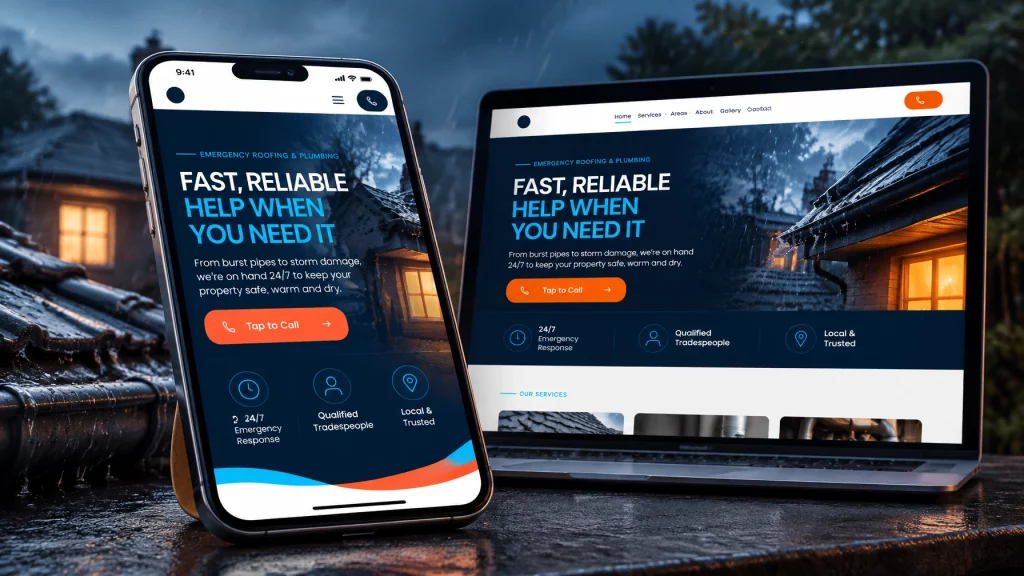
Every autumn, the same thing happens.
Searches for boiler breakdowns, emergency roof repairs, blocked gutters and burst pipes start to rise. Customers need help quickly, so they reach for their phones and search for someone nearby.
At the same time, many tradespeople realise their website is not ready. Their emergency services are missing. Their coverage area is unclear. Their phone number is difficult to find. Or they do not have a website at all.
By December, the phone may already be ringing. That is a difficult time to start building your online presence.
Local visibility usually builds over a few weeks to a few months, depending on your area and competition. Starting in October gives your website time to be found, reviewed and improved before the busiest part of winter.
What trade searches spike during winter?
Different winter jobs tend to appear at different points in the season.
Boiler breakdowns and servicing: October to November
As temperatures drop, more homeowners switch their heating on for the first time in months. That is when faults become obvious.
Common searches include:
- Boiler repair near me
- Emergency boiler repair
- Boiler not working
- Boiler servicing
- Heating engineer in [town]
People do not always know exactly what has gone wrong. They search using the problem they can see, such as “boiler has no pressure” or “radiators not heating up”.
A clear page explaining the faults you handle can help your website match those searches more closely.

Storm damage and emergency roof repairs: November to January
High winds and heavy rain create urgent roofing work. Loose tiles, damaged flashing, blocked gutters and leaks can all lead to searches for help.
A customer with water coming through the ceiling is not looking for a general roofing company directory. They are looking for an emergency roofer who covers their area and can explain what to do next.
Blocked gutters and drainage: autumn into winter
Falling leaves and heavy rain can quickly expose problems with gutters and drainage.
Customers may search for:
- Blocked gutter cleaning
- Gutter repairs near me
- Overflowing gutters
- Emergency drainage
- Downpipe blockage
These searches are often local and practical. The customer wants someone who can attend, not a long explanation of your entire business.
Frozen and burst pipes: December to February
Freezing weather can cause pipes to split, leak or stop working properly. This creates urgent plumbing searches, particularly when a leak is already causing damage.
Useful search terms may include:
- Frozen pipe repair
- Burst pipe plumber
- Emergency plumber near me
- Leaking pipe repair
- No water in the house
The pre-Christmas panic window
There is also a shorter period before Christmas when people try to finish jobs before family visits and the holidays begin.
That could mean fixing a boiler, repairing a roof leak, clearing gutters, dealing with a blocked drain or completing electrical work.
These customers may not use the word “emergency”, but they still want a quick response. Clear service pages and a visible phone number matter.
Why dedicated service pages matter more than a general list
A general services page can tell people that you are a roofer, plumber or electrician. It does not always give Google enough detail to match your website with a specific search.
A roofer with a page for emergency storm damage repairs in Sheffield has a much clearer chance of appearing for that type of search than a roofer with one page titled “Roofing Services”.
The same principle applies to:
- Boiler not working
- Frozen pipe repair
- Emergency electrician
- Blocked gutter cleaning
- Storm damage roof repairs
Each page should focus on one clear service, explain the problem you solve, name the areas you cover and give the customer an obvious way to contact you.
The roofer website example shows how this can work in practice. Alongside general roofing services, it gives separate attention to emergency leaks, storm damage, guttering and other jobs customers may search for directly.
That is more useful than expecting one generic page to cover every situation.
Four things to sort before winter gets busy
1. Create pages for the emergency work you actually do
Do not create pages for services you never provide just to chase searches. That usually creates poor content and attracts the wrong enquiries.
Instead, list the winter jobs you genuinely want:
- Emergency boiler repairs
- Boiler servicing
- Burst and frozen pipe repairs
- Storm damage roofing
- Emergency electrical work
- Blocked gutters and drainage
- Temporary weatherproofing
Give each important service its own page where appropriate. Explain what you handle, which areas you cover and how customers should contact you.
2. Name your coverage area clearly
A customer needs to know whether you work in their town before they call.
Your location should appear naturally in your website text, page headings and contact information. If you cover several important towns, a dedicated areas page can make that clearer.
For example, a heating engineer might cover Lincoln, Newark and Sleaford. A roofer might cover Sheffield and surrounding South Yorkshire areas.
Do not simply list dozens of places without explaining your service. A useful local page should make it clear that you work there and what you offer.
3. Make the website work properly on a phone
Urgent searches often happen when someone is standing beside a leaking pipe, looking at a broken boiler or trying to find a roofer during bad weather.
They may not have the patience to pinch, zoom or search through a complicated menu.
Your website should:
- Load properly on a mobile phone
- Show your main service quickly
- Display your coverage area
- Put your phone number near the top
- Include a tap-to-call button
- Keep enquiry forms short
- Make the next step obvious

Mobile-first does not mean removing useful information. It means showing the right information in the right order.
The customer should not have to work out who you are, where you work or how to contact you.
4. Put your phone number where customers can use it
A phone number hidden on the contact page is not enough for urgent work.
Place it in the header, on service pages and near calls to action. On mobile, it should be tappable.
You can also include an enquiry form for customers who prefer to send photos or explain the job in writing. Both options are useful, but a customer with a burst pipe should not have to complete a long form before finding your number.
October is the right time, even if your website is not perfect
It is important to be realistic. A new page does not normally appear at the top of Google overnight.
Local SEO can take a few weeks to a few months to build visibility. Results vary based on your location, the strength of competing websites, the searches you are targeting and how well your wider Google setup is managed.
That is not a reason to wait.
It is the reason to start now.
Getting your winter pages live in October gives Google time to find them and gives you time to improve them. You can also update your Google Business Profile setup, add winter services, upload recent job photos and ask satisfied customers for reviews.
Some tradespeople also run Google Ads while their organic rankings build. That can be a sensible short-term option for urgent services. It is not a failure, and it does not replace the value of a proper website. Ads can help bring visibility sooner, while your website works towards longer-term local traffic.
What a winter-ready trade website should include
Whether you are looking for trade website design UK-wide or local web design for trades in your area, the important thing is not a complicated system.
You need a website that clearly shows:
- The services you offer
- The emergency work you handle
- The towns and areas you cover
- Your phone number
- Your accreditations and insurance
- Reviews or examples of your work
- A simple enquiry option
- A proper mobile layout
That applies whether you are comparing a plumber web design agency, electrician website design, a web designer for builders or cheap tradesman websites.
Cheap should not mean unclear or unfinished. A useful website is a working business asset, not another task for you to manage.
Get your website ready before the winter rush
A winter-ready website from Trade Sites UK includes:
- Dedicated service pages for the work you offer
- Emergency and seasonal pages set up for your area
- Mobile-optimised design
- Local Google setup
- Direct enquiry forms
- Hosting, domain and SSL security
- Ongoing support and updates
- A full preview before you pay
- Live in under 7 days
The service is £49 per month, with no upfront cost, no minimum term and the option to cancel anytime. You can see the finished website before deciding whether to continue.
You can review the full Trade Sites UK pricing or start with a free website preview.
Winter demand will arrive whether your website is ready or not.
It is better to sort the pages, phone number and local setup now than try to fix everything when the emergency enquiries have already started.
Frequently asked questions
When should I sort my trade website for winter?
October is a sensible time to get started, particularly if you want to target boiler repairs, storm damage, blocked gutters or frozen pipes. Local visibility often takes a few weeks to a few months to build, so waiting until December can mean missing part of the season.
How long until I rank locally?
There is no fixed timeframe. Some businesses see early visibility within weeks, while stronger rankings can take a few months. It depends on your area, competition, website quality and Google setup. Results vary, so a website should be treated as a long-term source of enquiries rather than an instant guarantee.
Do I need separate pages for each service?
You should create separate pages for important services that customers search for differently. For example, “storm damage roof repair” and “roof replacement” are different needs. A dedicated page gives each service a clearer explanation and a better chance of matching the right search.
What searches spike in winter?
Common winter searches include boiler breakdowns, boiler servicing, emergency heating, storm damage roof repairs, blocked gutters, drainage problems, frozen pipes, burst pipes and emergency electrical work. The timing varies, but demand often increases from October and continues through February.