
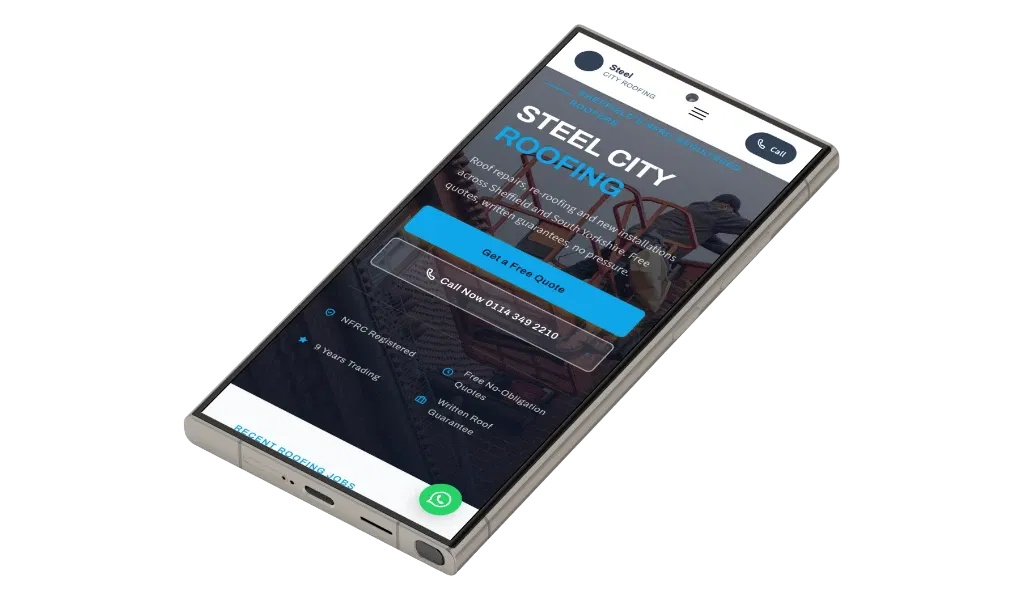
Your website may look fine on a desktop screen and still lose you enquiries every day.
A customer searches for a local roofer, plumber, electrician or builder on their phone. They cannot quickly see what you do, where you work or how to contact you. They leave.
You can run a useful audit yourself in about ten minutes. Open your website on your mobile, check each point below and be honest about what you find.
1. Your website does not open properly on a phone
Most local trade searches happen on mobile phones. That means your website needs to work properly on the device your customers actually use.
Open your website on your own phone and check the first five seconds:
- Does the page load without waiting around?
- Can you read the text without zooming in?
- Do the buttons fit the screen?
- Is anything cut off or overlapping?
- Can you see what trade you offer straight away?
If the website looks like a desktop page squeezed onto a small screen, it needs attention. Tiny text, awkward menus and oversized images make people work too hard.
They leave.
This is not about having the latest design. It is about making the important information clear and easy to use. A mobile-friendly layout should show your trade, your location and the next step without requiring a lot of scrolling.
How to fix it: Test every important page on your phone, not just the homepage. If it is slow or awkward, ask for a proper mobile-first rebuild. You can also read our guide to how a mobile-friendly trade website helps win local jobs.
2. Your phone number is difficult to find
Someone looking for a tradesperson usually wants to speak to a real person. They may have a leak, a broken boiler or a job they need pricing quickly.
If your phone number is hidden in the footer or only appears on the contact page, you are adding unnecessary steps. If it is not clickable on mobile, the customer has to copy it or remember it before opening their phone app.
That is enough friction to lose a call.
Your number should be easy to see near the top of the homepage and on the main service pages. It should also be set up so a customer can tap it and call immediately.
A form still has its place. Some people prefer to send details outside working hours. But for many trade enquiries, calling is the quickest route.
How to fix it: Put your current phone number in the header and make it tap-to-call on mobile. Use a clear button such as Call for a Quote or Call Today, rather than making visitors search for your contact details.
3. You have no photos of your actual finished work
Stock photos do not prove that you can do the job.
A generic image of a smiling builder or a perfect-looking bathroom may make the website look tidy, but it could belong to anyone. Customers want to see evidence of your work, especially when they are comparing several local businesses.
Real photos taken on your phone are usually more useful. They do not need to be perfect. A clear picture of a finished roof repair, a plastered room, a new patio or a completed rewire gives people something genuine to look at.
For larger work, include before-and-after images where possible. Add a short explanation:
- What was the problem?
- What work did you complete?
- Which town was the job in?
That gives the photo more value and helps a potential customer recognise that you handle the type of work they need.

How to fix it: Take a few photos at the end of every suitable job. Keep them in a folder and add the best ones to your gallery, service pages and relevant area pages. Real work is more convincing than polished stock photography.
4. Your reviews are missing from the website
Customers check reviews before they ring. They want reassurance that you turn up, communicate properly and complete the work to a good standard.
You may already have strong reviews on Google, but if your website does not show any of them, visitors have to go looking. Some will not bother.
Reviews work best when they are specific. “Great service” is better than nothing, but a review that mentions the job, the town and the way you handled it gives people more confidence.
Do not wait until you have dozens of reviews. A small number of genuine comments is still useful, provided they are real and kept reasonably current.
How to fix it: Ask for a review after every completed job, when the customer is happy with the result. Add genuine reviews to the homepage and important service pages. Do not invent testimonials or make vague claims that you cannot support.
5. Your website only says “services”
“Services” tells customers almost nothing.
People search for the job they need, not a general description of your business. A homeowner may search for emergency leak repair, full re-roof, skim coat plastering or an EICR certificate. If your website only says “roofing services” or “electrical services”, it may not answer their question clearly enough.
Specific wording also helps Google understand which jobs you provide. That does not mean filling pages with repeated keywords. It means naming your actual work in plain English and explaining it properly.
A roofer might need separate pages for roof repairs, flat roofs, storm damage and full re-roofing. A plasterer might cover skim coating, rendering, coving and repairs. The right structure depends on the trade and the work you want more of.
You can see this approach in our pages for plasterers, builders and electricians.
How to fix it: Write down the jobs customers actually ask you about. Give each important service a clear heading or its own focused page. Explain what is included, who it is for and how to request a quote.
6. Your website does not say where you work
“Based in Lincolnshire” is not enough if you want customers in specific towns to find you.
People want to know whether you cover their area before they get in touch. A customer in Grantham, Chesterfield or Boston should not have to guess whether you travel there.
Your main website should name your coverage area clearly. If several towns are important to the business, useful location pages can explain the work you do there. These pages should contain helpful local information rather than simply replacing the town name throughout the same text.
Be accurate. If you only travel 20 miles, do not claim to cover the whole county. A clear service area helps you attract more relevant enquiries and avoid wasting time on jobs that are too far away.
How to fix it: List the towns and areas you genuinely cover on the homepage, service pages and contact page. Create separate area pages where there is a real reason to target that location, such as an established customer base or regular work there. For an example, see this local plumbing website page.
7. Nothing useful happens after someone gets in touch
Getting an enquiry is only the start.
A form may appear to work while sending messages to an old email address that nobody checks. A customer may submit their details and see no confirmation. They may not know whether the message arrived, so they contact somebody else.
This is a common problem with websites that were built once and then left alone. The form stops working, the notification goes to the wrong inbox or the business owner does not realise enquiries are waiting.
The form should be short and practical. Most first enquiries only need a name, contact details, location and a brief description of the job. You can ask for more information later.
A simple quote form should make it easy for a customer to take the next step, not feel like an application form.
How to fix it: Test your form yourself from a phone. Check that the message reaches the right inbox, that the customer sees a confirmation and that you have a clear process for replying quickly. Enquiries should come directly to you, not disappear into a shared lead system.
What a properly built trade website should cover
A good website is not just a smart-looking homepage. It should support the way customers choose a local tradesperson.
That normally means:
- Mobile-first design that works properly on phones
- Clear service pages with the jobs you actually provide
- Service area pages for important towns and locations
- Real reviews and relevant accreditations
- Photos of your finished work
- A clear phone number and short enquiry form
- Enquiries sent directly to the business owner
- Local Google setup
- Hosting, SSL security and a domain name
This is the practical side of trade website design UK businesses need. It is also what separates a useful website from many cheap tradesman websites that are built quickly, left unmanaged and forgotten.
At Trade Sites UK, I build and manage the site for £49 a month. There is no upfront cost, no minimum term and you can cancel anytime. The domain is registered in your name, and you receive a full preview before paying anything.
It is a straightforward option for tradespeople who want a professional website without becoming their own web designer. The service is designed for local web design for trades and small business web design UK needs, not complicated projects with lots of technical work for you to handle.
You can see exactly what is included in the £49 monthly plan.
Frequently asked questions
How do I know if my website is any good?
Use the ten-minute test in this article. Open it on your phone and check whether a new customer can quickly understand what you do, where you work, see evidence of your work and contact you.
Then submit your own form. If you cannot find the phone number or you are not sure where the message goes, your customers will have the same problem.
A good website does not need to be flashy. It needs to be clear, trustworthy and easy to use.
How much should a tradesman pay for a website?
It depends on what is included. A one-off build may cost hundreds or thousands of pounds before hosting, updates and support are added.
A monthly service can be easier to manage if it includes the build, hosting, domain, SSL, updates and ongoing support. Trade Sites UK charges £49 a month, with no upfront cost and no minimum term. Make sure you compare the complete service, not just the headline price.
How long does it take to build?
A straightforward trade website can usually be ready in under seven days once the business details, photos and service information are provided. You should still receive a preview before it goes live so you can check the wording, images and contact details.
Search visibility takes longer and varies by area, competition and the strength of your local presence. A new website can give you a better foundation, but it is not a guarantee of instant rankings or enquiries.
The practical test is simple: open your website on your phone today. If customers have to search for your services, your location or your phone number, fix those problems first.