
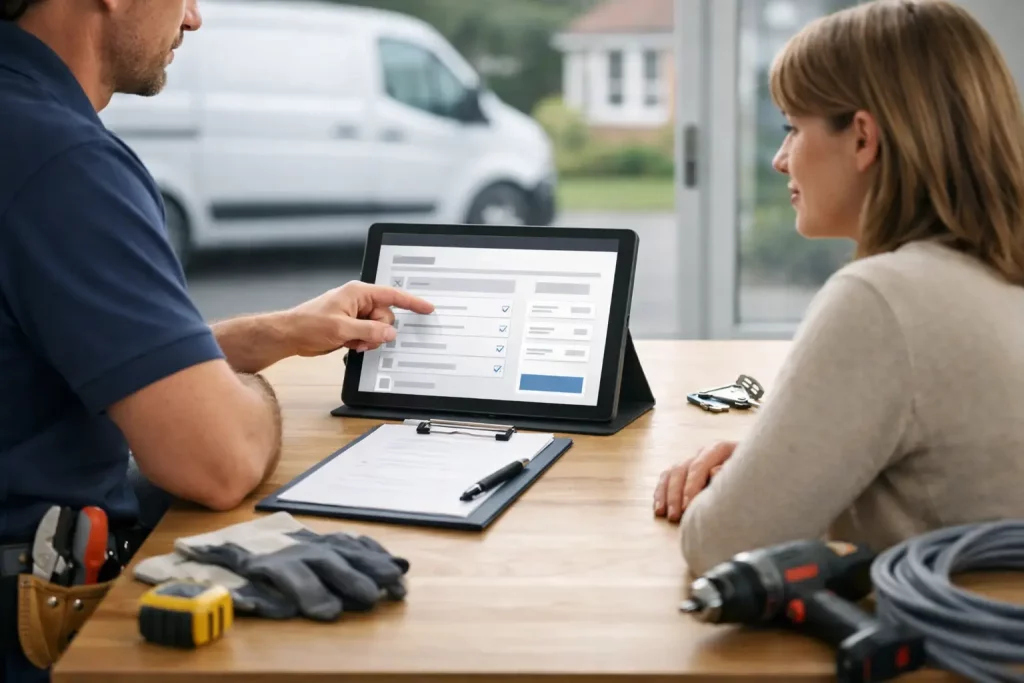
A potential customer has found your site, checked that you cover their area and decided you look like the right person for the job. At that point, quote forms need to make getting in touch feel quick and obvious. If the form is awkward, asks too much or does not work properly on a phone, that customer may simply try the next local tradesperson.
For a busy trade business, a quote form is not there to collect every detail of a job. Its job is to start the conversation while the customer is ready to act. Get that right and your website gives people a straightforward way to ask for a quote at any time, including when you are on site and cannot answer the phone.
Why quote forms matter for local trades
Phone calls are valuable, but not every customer wants to ring straight away. They may be at work, dealing with a small job outside normal hours, or comparing a few local options before committing. A clear form gives them another route to enquire without making them wait.
It also helps you receive better enquiries. Rather than a vague message saying they need a plumber, you can collect the basics upfront: the type of work, their location and the best way to contact them. That means less back-and-forth before you can decide whether the job is a fit.
The trade-off is simple. A longer form may give you more information, but every extra field gives someone another reason to stop. For most domestic trade jobs, it is better to receive a short enquiry quickly and ask follow-up questions by phone than lose it because the form felt like paperwork.
What a good quote form should ask
Keep the first enquiry focused on what you need to respond usefully. The exact setup depends on your trade. A roofer may need to know whether it is a leak, slipped tiles or a full replacement, while an electrician may need a short description of the fault or installation work.
In most cases, the form should include these essentials:
- Name, so you know who you are replying to.
- Telephone number and email address, giving you more than one way to respond.
- Postcode or area, so you can confirm the job is within your service area.
- A short job description, with enough room for the customer to explain the issue.
- An optional photo upload where images would help, such as roofing, landscaping, building or decorating work.
A preferred contact time can be useful if you often work in noisy places or spend long periods driving between jobs. It should usually be optional, though. Do not make a customer choose a time slot if all they want is a quick callback.
If you offer several distinct services, a simple dropdown can help people identify the right type of work. Keep the choices plain: boiler repair, bathroom plumbing, consumer unit upgrade, garden fencing or plastering repair. Avoid making people work through a long technical checklist. They are hiring you because they need help, not because they know the exact name for the problem.
Use optional fields properly
Optional fields are useful when they improve the quality of an enquiry without blocking it. Photos are a good example. A picture can help you judge whether a visit is needed or whether you can provide an initial estimate, but some customers will not have one ready.
The same applies to budget. Asking for a budget can be helpful for large renovation work, but it can put off someone with an urgent repair. For many trade websites, it is better to discuss budget once you understand the job.
Make the form easy to complete on a phone
Most local customers will view your site on a mobile. A quote request form should therefore be easy to read, tap and submit with one hand. Small fields, cramped labels and lengthy dropdown menus cost enquiries.
Use clear labels rather than relying only on placeholder text that disappears once somebody starts typing. Make the main message box large enough for a proper description. If you use a postcode field, explain why you need it: to check you cover the area. Small details like this reduce hesitation.
The button matters too. A button marked Submit is serviceable, but a direct instruction is better. Request a quote or Ask for a callback tells the customer what happens next. Put it directly below the form and make it easy to spot without scrolling around the page.
Do not hide your phone number just because you have a form. Some people will always prefer to call, particularly for urgent work. The best approach is to let customers choose the route that suits them while keeping both options clear.
Set the right expectation before they send
People are more likely to complete a form when they know what will happen next. One short line near the button can do a lot of work: Tell us about the job and I will get back to you as soon as possible. It is reassuring without promising a response time you may not be able to meet on a busy day.
Be careful with claims such as instant quotes. Many jobs cannot be priced accurately from a short message, particularly structural building work, repairs with an unknown cause or projects involving several trades. It is better to say you will review the details and arrange a visit or callback where needed.
A privacy note also helps. Keep it simple: the details are used only to respond to the enquiry. Customers are understandably cautious about handing over their contact information. Clear wording makes your business look more professional and avoids any confusion about unwanted follow-up.
The thank-you page is part of the enquiry process
The moment after somebody submits a form is often overlooked. A basic success message is better than nothing, but it should confirm that the request has gone through and tell them what to do if the job is urgent.
For example, you can thank them for their enquiry, explain that you will be in touch, and show a phone number for urgent calls. This prevents a customer wondering whether the form failed and sending the same request to several other businesses.
If possible, make sure the enquiry is delivered reliably to the email address you actually check. A form that looks good but sends messages to an old inbox is worse than having no form at all. Test it after launch, then test it again whenever your email address, phone number or website setup changes.
Common quote form mistakes that lose work
The biggest mistake is asking for too much too early. Full addresses, detailed measurements, preferred materials and long questionnaires may be appropriate after an initial conversation, not before it. A customer with a dripping tap or broken fence wants help, not an application form.
Another problem is vague wording. A form introduced with Contact us is easy to ignore because it does not say what the customer gets. A clear Request a quote heading makes the purpose obvious. It also helps to place the form on relevant service pages, not only on a separate contact page.
Finally, do not leave enquiries waiting. The form creates the opportunity, but your reply wins the work. A quick message confirming you have received the details can keep a customer warm while you are finishing the job in front of you. If you cannot take on a job, being honest quickly is better than disappearing.
A quote form should work while you are working
You do not need a complicated system to get more enquiries from your site. You need a form that is clear, mobile-friendly and built around the information required to take the next step. It should make a customer feel that asking for help will be easy, not like another job on their list.
At Trade Sites UK, I set up and manage quote request forms as part of a straightforward trades website, so customers have a clear route from finding you to getting in touch. The useful test is simple: if someone needs your service right now, can they ask for a quote in under a minute?